
What arrives?
Fully assembled device, two preloaded projects, USB cable and adapter, and a microSD card containing the editable starter-project files. Take it out of the box, plug it into your computer, and start exploring with Claude Code or Codex.
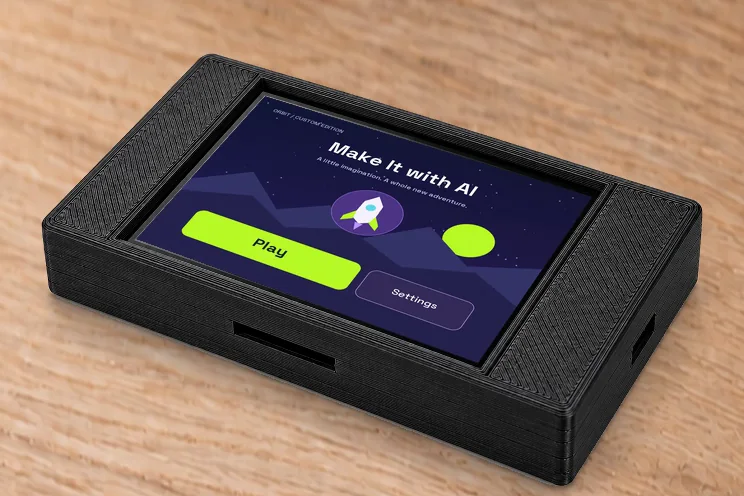
TOUCHSCREEN MAKER KIT
One kit. Both Starter Projects. Your idea next.
A ready-to-use touchscreen kit you can make your own with AI.
Play the two included projects. Use AI on your computer to help change the code, then load and test it on your box.
$149
$15 shipping for one kit within the continental U.S.
Kits are shipping now.
Fully assembled · Two projects preloaded · USB cable and microSD included
Customization requires your computer, internet and compatible AI account. Subscription costs may apply. Setup requirements →
Fully assembled device, two preloaded projects, USB cable and adapter, and a microSD card containing the editable starter-project files. Take it out of the box, plug it into your computer, and start exploring with Claude Code or Codex.
Explore sound in Beat Lab or care for a pet in Pocket Sanctuary. Then ask Claude Code or Codex to help you make your first change.
Your computer, internet and compatible AI account for customization. Subscription costs may apply.
Setup requirements →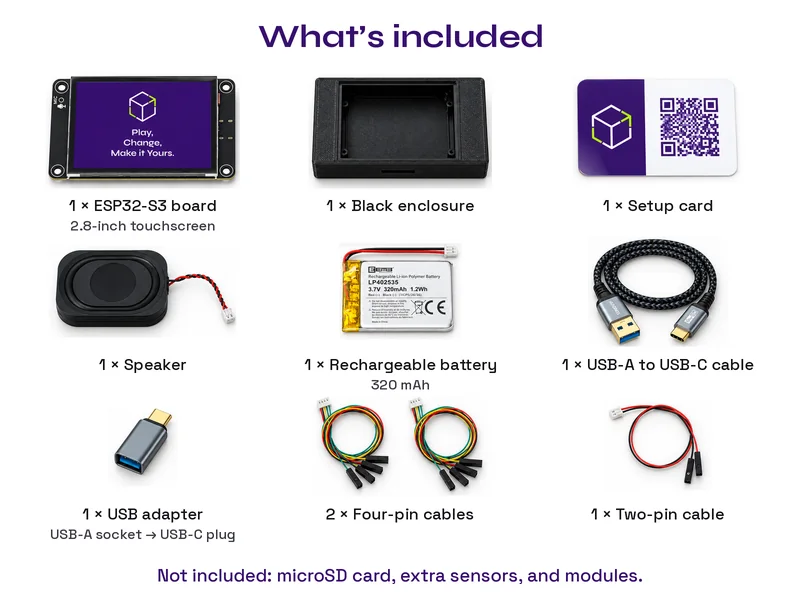
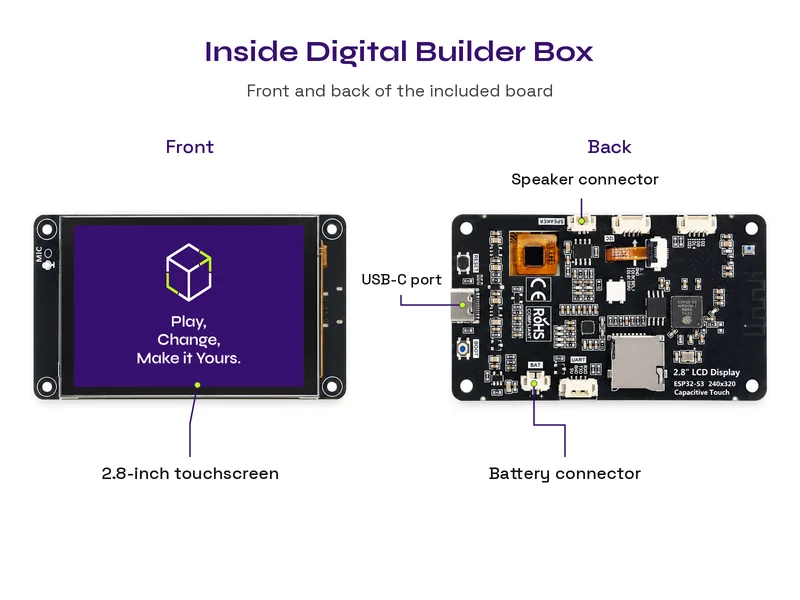
1 of 2 · Kit contents
The component gallery shows what is inside; no initial assembly is required. Required microSD is included even if not shown in the older contents image.
Not included: Extra sensors and modules.
Charge by USB if needed. No computer or AI account is needed to play the preloaded projects.
Both Starter Projects run on the device. Use your computer when you’re ready to customize them with AI.
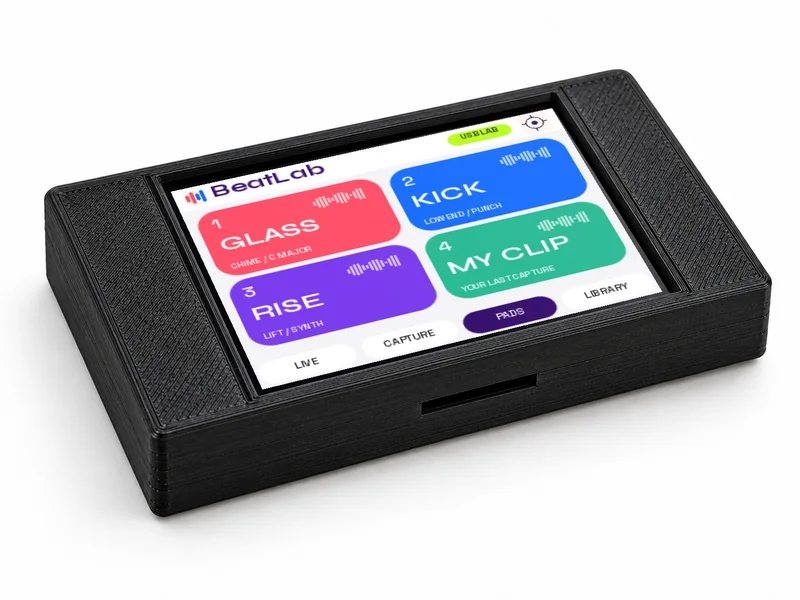
Explore sound with touch-controlled visualizations, record and play back short clips, and trigger sound cues.
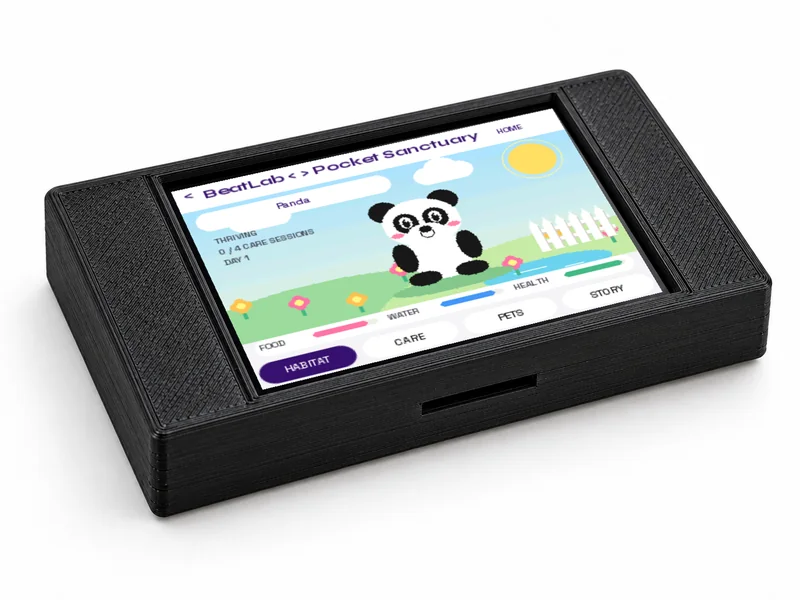
Choose a pet, care for it in Domestic mode, or maintain its environment in Wild mode.
Tap the app title at the top left of the screen to switch between Beat Lab and Pocket Sanctuary.
Use a Windows or macOS computer when you’re ready to customize your projects.
Connect the device by USB. Open the starter-project files from the included microSD card in Claude Code or Codex, describe a change, then load and test the result.
AI helps you change the code on your computer. Your project runs locally on the device.
No prior coding or electronics experience is required to begin.
Open this information on its own page →
Pay in full when you order. You can cancel for a full refund any time before your kit ships.
If shipping is delayed, you can wait for the revised date or cancel for a full refund.
All sales are final once your kit ships. For damaged or missing parts, contact support within 14 days of delivery with a photo for a free replacement.
Damage caused by assembly or hardware modifications is not covered. Third-party AI account fees are not refundable by us.
Kits are shipping now.
Shipping for one kit within the continental U.S. is $15. Multi-kit orders and delivery availability are calculated at checkout.
Take your assembled device out of the box and connect it to your computer with the included USB cable. Open Claude Code or Codex to begin exploring a change.
Support is here for missing parts, damage, or something not working as expected. Additional online walkthroughs are being prepared. See getting-started requirements.
If something is missing, damaged, or not working as expected, email support@DigitalBuilderBox.com.